PlugPress
Plugins Snapback
 Snapback
Premium
Snapback: Get your site back, even when WordPress won’t load.
Snapback is a backup and recovery plugin for WordPress. When an update breaks your site and WordPress shows a critical error, Snapback’s recovery page still opens and puts the site back.
What Snapback does
A restore point before each update.
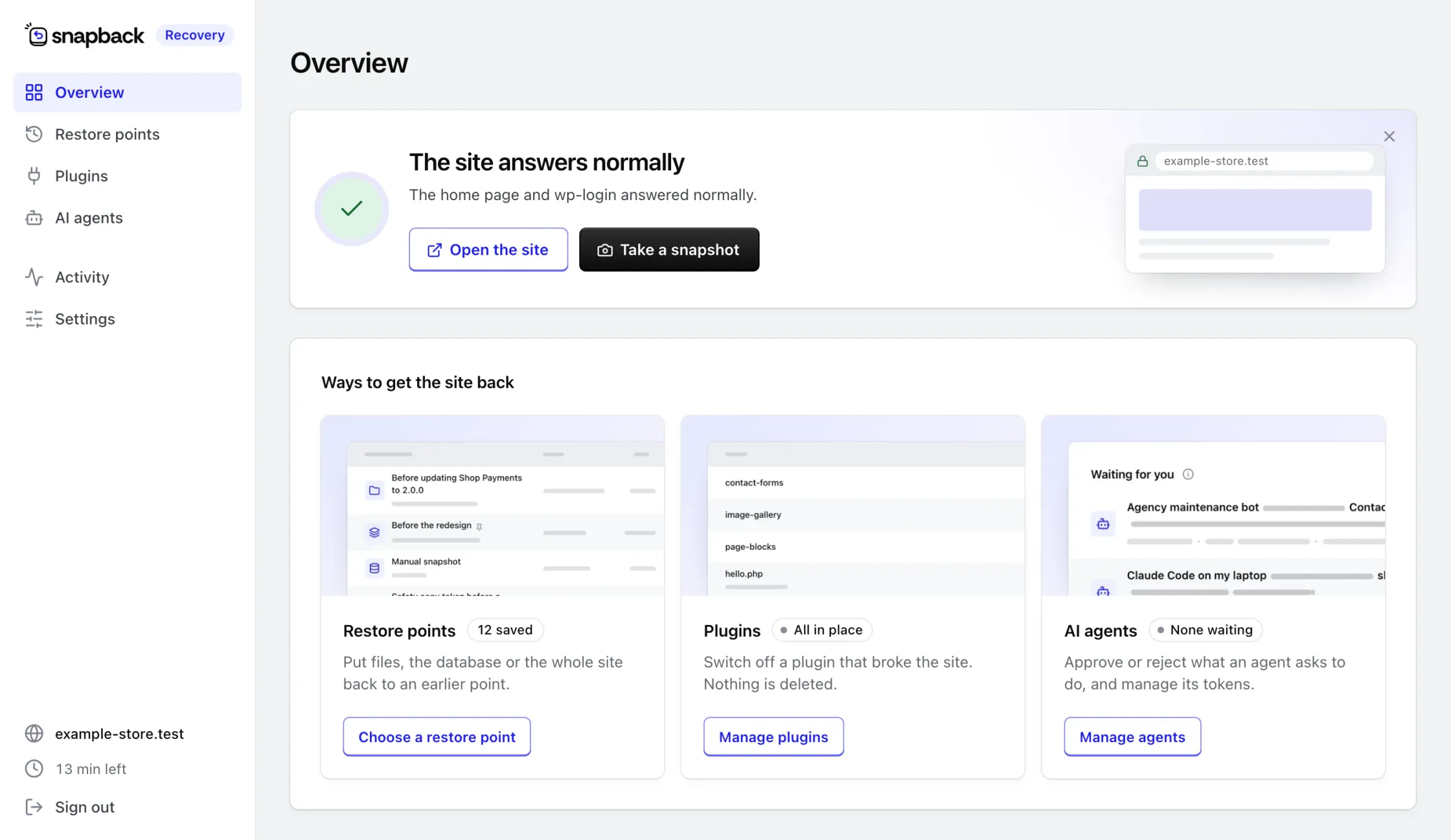
Plugin and theme updates made through WordPress are saved first and checked after. When the check shows the update broke the site, Snapback puts the old files back.
A recovery page outside WordPress.
It runs on its own, so it opens even when WordPress shows a critical error. Sign in with your recovery key and restore files or the database.
Switch off the plugin that broke it.
Turn off a broken plugin from the recovery page. Nothing is deleted.
Whole-site backups on a schedule.
Files and database together, daily or weekly, or one right now. You get an email if a scheduled backup fails.
Copies in storage you own.
Each copy is encrypted on your server before it goes to your S3-compatible bucket. Without a bucket, backups stay on your server.
Your AI agent asks first.
An AI agent can take snapshots and ask for a restore. Nothing is restored until you approve it.
How it works
Install Snapback
Get it on snapbackwp.com and upload it like any other plugin.
Save your recovery key
Open Snapback, then Recovery. Create your key and bookmark the recovery page.
Update as usual
Each update gets a restore point first. If the site breaks, open the recovery page and put it back.
Questions about Snapback
What if WordPress will not load at all?
Open the recovery page you bookmarked. It runs without WordPress, so it opens after a critical error, as long as your server still runs PHP.
Where are my backups kept?
On your own server, in a private folder. Connect an S3-compatible bucket you own and Snapback also sends encrypted copies there, so a copy survives if the server is lost.
Do I need the licence key to restore?
No. Every licence is paid once. The key turns on updates. Backups, restores and the recovery page work without it.